1. 최신 버전(latest) 이미지 다운로드
# docker pull 이미지명 : 최신 버전 이미지 다운로드 (= docker pull 이미지명:latest)
$ docker pull nginx # docker pull nginx:latest 와 동일하게 작동
- Windows PowerShell
PS C:\Users\admin> docker pull nginx
Using default tag: latest
latest: Pulling from library/nginx
Digest: sha256:6e23479198b998e5e25921dff8455837c7636a67111a04a635cf1bb363d199dc
Status: Image is up to date for nginx:latest
docker.io/library/nginx:latest

What's next:
    View a summary of image vulnerabilities and recommendations → docker scout quickview nginx
PS C:\Users\admin> docker image ls
                                                                                                    i Info →   U  In Use
IMAGE          ID             DISK USAGE   CONTENT SIZE   EXTRA
nginx:latest   6e23479198b9        240MB         65.8MB    U
이미 다운로드 받아서 Image is up to date for nginx:latest 라고 뜬다. 최초로 다운로드 받으면 다음과 같이 뜬다.

이미지 다운로드시, Docker Hub 에서 이미지를 다운 받는다.
Github 에 저장된 다양한 코드들을 clone 또는 pull 받을 수 있듯이, Docker Hub 에 저장된 다양한 이미지들을 pull 받아 사용할 수 있다.
# Docker Hub : 이미지를 저장 및 다운로드 받을 수 있는 저장소
2. 특정 버전 이미지 다운로드
이미지를 버전 별로 다른 종류의 이미지로 관리된다.
# docker pull 이미지명:태그명 : 특정 버전 이미지 다운로드
태그명 : 이미지의 특정 버전을 나타내는 이름, Docker Hub 에서 확인 가능
$ docker pull nginx:stable-trixie-perl
- Windows PowerShell
PS C:\Users\admin> docker pull nginx:stable-trixie-perl
stable-trixie-perl: Pulling from library/nginx
0058cdb54462: Pull complete
5ad4efafba6e: Pull complete
42c953b611b2: Pull complete
78d316008fc4: Pull complete
014d5fda7cb5: Pull complete
c3da204f0f0a: Pull complete
83ce217cf544: Pull complete
dfcea770f69b: Download complete
857b2943b698: Download complete
Digest: sha256:d771d6ea8596b2fdf471c3e73e9364a26fdd9e74963fc13f62488542bd58c027
Status: Downloaded newer image for nginx:stable-trixie-perl
docker.io/library/nginx:stable-trixie-perl

What's next:
    View a summary of image vulnerabilities and recommendations → docker scout quickview nginx:stable-trixie-perl
PS C:\Users\admin> docker image ls
                                                                                                    i Info →   U  In Use
IMAGE                      ID             DISK USAGE   CONTENT SIZE   EXTRA
nginx:latest               6e23479198b9        240MB         65.8MB    U
nginx:stable-trixie-perl   d771d6ea8596        310MB         79.4MB
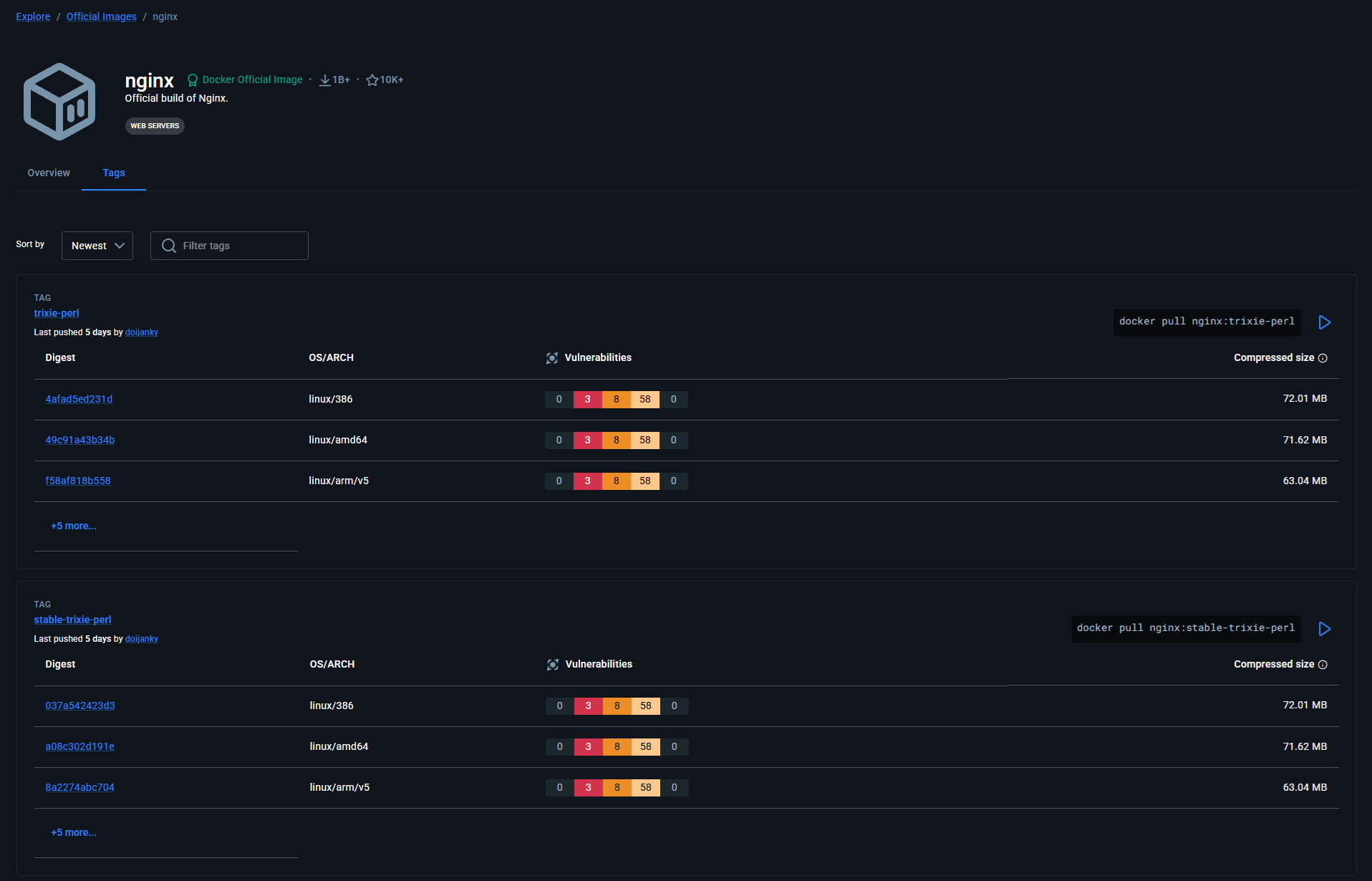
Docker Hub - nginx Tags : https://hub.docker.com/_/nginx/tags
nginx Tags | Docker Hub
docker pull nginx:perlCopy
hub.docker.com
비전공자도 이해할 수 있는 Docker 입문/실전| JSCODE 박재성 - 인프런 강의
현재 평점 4.9점 수강생 14,438명인 강의를 만나보세요. 비전공자 입장에서도 쉽게 이해할 수 있고, 실전에서 바로 적용 가능한 Docker 입문/실전 강의를 만들어봤습니다! Docker 기본 개념, Spring Boot를
www.inflearn.com
'강의 실습 > 비전공자도 이해할 수 있는 Docker 입문 실전' 카테고리의 다른 글
| 컨테이너(Container) 생성 / 실행 - 1 (0) | 2026.05.01 |
|---|---|
| 이미지(Image) 조회 / 삭제 (0) | 2026.05.01 |
| [실습] Docker 전체 흐름 느껴보기 (Nginx 설치 및 실행) (0) | 2026.04.29 |
| [보충 자료] 실습할 컴퓨터가 윈도우(Windows) 환경일 경우 (0) | 2026.04.29 |
| Docker 설치 (Windows, Mac OS) (0) | 2026.04.29 |


댓글